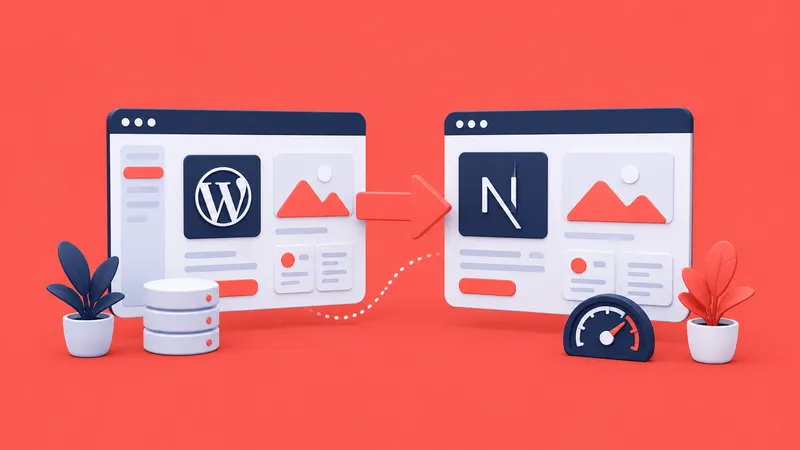
We rebuilt BluDeskSoft.com in 4 weeks — from a WordPress template to Next.js 16.
B
BluDeskSoft
·9 min read
We build websites for other companies. For years, our own site was a WordPress template we kept promising to fix "next sprint." That sprint never came until we finally tore the whole thing down and rebuilt from scratch.
Over four weeks, we migrated BluDeskSoft from WordPress with Elementor on shared hosting to Next.js 16, Payload CMS, Supabase, and Vercel. We moved 71 blog posts, rewrote every page, and shipped on a hard deadline.
Along the way, we learned five things that apply to any agency considering a similar rebuild. Most of them have nothing to do with code.
1. Your Website Is Your Best (or Worst) Case Study
There's an old saying about the cobbler's children going barefoot. In web development, the equivalent is the agency whose own site looks like it was built over a weekend in 2019.
That was us.
Our WordPress site used an Elementor template. It worked. It loaded. It had pages, a blog, and a contact form. But it also looked exactly like what it was: a template with our logo dropped in.
Here's the moment that changed things. During a sales call, a potential client asked us point-blank: "If you build custom web apps, why does your site look like a template?"
We didn't have a good answer. Because there wasn't one.
Every agency website is a portfolio piece, whether you intend it to be or not. When a prospect visits your site, they're not just reading about your services. They're evaluating your taste, your attention to detail, and your technical ability. If your own site undermines that evaluation, no amount of smooth-talking on the sales call will fix it.
This cuts both ways. A strong agency site doesn't just avoid damage — it actively sells. When our new site loads in under a second, scores 97+ on mobile performance, and handles accessibility properly, that's a demonstration of what we deliver. The site itself becomes the pitch.
The question worth asking: if a prospect landed on your website right now with no context, would they hire you based on what they see?
2. Write Case Studies Before You Build the Site
We made a mistake that cost us time during the rebuild. We designed and built the project pages first, then tried to fill them with content.
This seems logical. Build the container, then pour in the content. But it doesn't work, because the content shapes the container — not the other way around.
Our old site had seven project thumbnails. Each one showed a project name and maybe a screenshot. No descriptions. No context about what the client needed. No explanation of what we built or why. And no results. Just names and pictures.
Tagged:#WebDevelopment #AgencyLife#NextJS
B
Written by
BluDeskSoft
Building modern web applications at BluDeskSoft. We write about what we learn along the way.
When we sat down to write actual case studies for the new site, we realized we didn't know what story we were telling. Were we highlighting the technical challenge? The business outcome? The design process? We hadn't decided, and it showed. Early drafts read like feature lists, not stories.
Three questions transformed our approach:
What problem did the client have?
What did we build?
What measurable result did it produce?
That's it. Every case study follows the same structure: challenge, approach, results. Once we had the content written for our three focus projects, LintPage, Stampello, and an Optometry Office CRM, the page design became obvious. The content dictated the layout.
We went from seven vague thumbnails to three focused case studies with real numbers. Stampello, a digital loyalty platform built for local shops stepping away from paper cards, tells the story of what we built and why it matters. LintPage: 60+ automated SEO checks delivered on launch. These numbers and stories exist because we asked the right questions before we opened a code editor.
If you're planning a site rebuild, write your case study content first. Interview yourself the way you'd interview a client. Get the stories on paper. Then build the pages around them.
3. Set a Hard Deadline and Ship Imperfect
We gave ourselves four weeks. That deadline was non-negotiable, and it was the best decision we made during the entire project.
Without it, we'd still be tweaking. Every developer knows this feeling. You finish the core functionality, then you start a list: dark mode would be nice; maybe we should add internationalization; what about a client portal? We should set up a newsletter system...
The list grows faster than you can build it.
Here's what we deliberately left out of version one:
Dark mode
Internationalization (our old site had a bilingual English/Romanian setup that was barely maintained; we dropped it entirely)
Client portal
Newsletter system
Advanced blog filtering and search
We shipped without any of these features. We haven't missed a single one of them.
This isn't about cutting corners. It's about understanding that a shipped site generating real impressions, real leads, and real credibility is worth more than an unfinished site with a longer feature list sitting in a staging environment.
The four-week constraint forced us to make decisions quickly. TypeScript data files instead of a CMS for service pages? Decision made in an afternoon. English only instead of bilingual? Done. Payload CMS for the blog, but not for other content? Shipped it.
Every one of those decisions could have been the subject of a week-long debate. The deadline turned them into same-day calls. And none of those decisions have needed revisiting.
If you're stuck in a perpetual redesign cycle, pick a date. Tell someone about it, a business partner, a client, your LinkedIn audience. Make it real. Then cut the scope until the remaining work fits inside that window.
You can always add dark mode in version two.
4. Document the Process — It's Free Marketing
Here's something we didn't expect: the rebuild itself became one of our best marketing assets.
We decided early on to document the migration publicly on LinkedIn. Each post covered a different angle: the tech stack decision, the before-and-after performance data, the case study writing process, and the launch itself. Simple, honest posts about the choices we were making and why.
Two things happened.
First, the public commitment created accountability. When you've told your professional network you're rebuilding your site in four weeks, you can't quietly abandon the project. Every post was a promise. That pressure was useful.
Second, and more importantly, the documentation created a library of content that continues to work long after the migration ended. The technical decisions we wrote about, why we chose Payload CMS over other headless options, how we handled Supabase schema separation, and what our PageSpeed results looked like, still drive profile views and inbound conversations weeks later.
Every technical decision you make during a rebuild is a potential blog post. Every tradeoff is a LinkedIn post. Every mistake is a lesson someone else hasn't learned yet.
This isn't theoretical. You're reading it right now. This blog post exists because we documented our process. The migration became a case study. The case study became a blog series. The blog series became proof that we know what we're talking about.
Most agencies finish a project and move on to the next one. The work disappears into a portfolio page that nobody revisits. If you document as you build, even rough notes, even short social posts, you turn one project into months of content.
The cost of writing things down while you're already making decisions is close to zero. The marketing value compounds for months.
5. The Hardest Part Is Being Honest About Your Current State
Before we wrote a single line of new code, we conducted a comprehensive technical audit of our existing WordPress site. We checked PageSpeed scores, SEO fundamentals, accessibility, metadata, structured data, and everything we'd check for a client.
It was uncomfortable.
Here's what we found:
Zero Open Graph tags across the entire site
Roughly 80% of pages are missing canonical URLs
A blog listing page with a title tag that literally read "Copy" someone had duplicated a template and never updated the placeholder
Multiple pages with duplicate H1 headings
Missing meta descriptions on project pages
A homepage H1 that said "Success Starts Here Web Excellence," which isn't a sentence anyone would write on purpose
Blog posts three and four, with their content swapped, each post displayed the other post's text
We had been running this site for years. Linking to it in proposals. Sending it to prospects. And blog post three was showing blog post four's content the entire time.
Nobody told us. Or if they noticed, they didn't say anything. That's the uncomfortable truth about your own website: most visitors won't tell you it's broken. They'll just leave.
Running that audit required admitting that we, a web development agency, had shipped a site with basic errors we would have caught in five minutes on a client project. The "Copy" title bug alone would have been embarrassing in a client review. On our own site, it had been live for months.
But that honesty is what made the migration meaningful. Without the audit, we would have rebuilt the site based on assumptions. With it, we rebuilt based on evidence. We knew exactly what was broken, exactly what needed to change, and exactly how to measure improvement.
The results were measurable. Mobile performance went from an average of 79 to 97. Accessibility went from 82 to 99. Blog post pages — our worst performers at 68 on mobile — jumped to 97. Every page now has proper OG tags, canonical URLs, and metadata.
None of that would have happened if we hadn't been willing to look at the real numbers first.
If you're considering a rebuild, start with the audit. Don't guess what's wrong. Measure it. Screenshot the results. Save the data. You'll need it later, both to guide the rebuild and to prove the improvement.
It will be uncomfortable. Do it anyway.
What We'd Do Differently
If we rebuilt again tomorrow, we'd change one thing: we'd write all the content before touching any code. Case studies, service descriptions, the about page, blog migration plan, all of it. Content-first would have saved us at least a week of rework.
Everything else, the hard deadline, the public documentation, the honest audit, the willingness to ship without dark mode, we'd do the same way.
The Bottom Line
Rebuilding your agency website isn't a technical project. It's a positioning project. The technology matters, but the hard decisions are about honesty, scope, and storytelling.
Be honest about your current state. Write your stories before you build your pages. Set a deadline and protect it. Document as you go. And ship before it's perfect, because perfect never ships.
If your agency site is the thing you keep postponing, you already know it needs to happen. The question is whether you'll keep adding it to the next sprint's backlog or finally put a date on the calendar.
We put a date on the calendar. Four weeks later, we had a site we're proud to send to prospects.
Your move.
---
Ready to rebuild your agency site — or not sure where to start? We've been on both sides of that decision. No pitch, just an honest conversation about what makes sense for your situation: https://bludesksoft.com/contact
Paper, spreadsheets, and a booking app that didn't fit. One custom CRM replaced all three.
 BluDeskSoft

-800x450.webp)