7 things you should control after your website launches. Check them now.
G
Georgiana Nutas
·7 min read
If you've had a website for more than a year, here's a question worth asking today, not the next time something breaks: could you walk away from your current developer tomorrow and keep your site running exactly as it is? For many business owners, the honest answer is "I'm not sure." This website ownership checklist goes category by category through what you should control, and how to check it right now, not eventually.
Most people don't think about ownership at launch. You're focused on the design, the copy, the deadline. The technical account details get set up by whoever built the site, and once it's live, nobody circles back to ask who actually holds the keys. That gap is exactly where problems show up two or three years later, usually at the worst possible time: the developer stops responding, the agency closes, or you simply want to switch providers and discover you can't.
Why This Gets Overlooked So Often
Nobody sets out to lose control of their own website. It happens through a series of small, reasonable-sounding decisions. The developer offers to "handle the technical setup" so you don't have to deal with it. Genuinely helpful, right up until it isn't.
We've inherited more than one project where the previous owner had no idea which hosting company their own site was on, because the invoice went straight to the old developer's email. That's not a scam. It's just what happens when nobody writes down who owns what, and everyone assumes someone else already has.
The Core Ownership Checklist
Go through each of these. For most, you'll know the answer immediately. For a few, you may need to log in somewhere and actually check.
1. Source Code and Repository
Do you have access to a repository (GitHub, GitLab, or Bitbucket) that contains your site's code under an account your company controls? A surprising number of small business websites exist only on a developer's local machine or personal account, with no proper repository at all.
Under most copyright frameworks, the person or company that writes the code owns it by default, unless your contract explicitly transfers that ownership to you. The U.S. Copyright Office's guidance on "works made for hire" is a useful reference here even outside the US, since most international contracts follow a similar principle: ownership doesn't automatically pass to the client just because they paid the invoice.
Is your website hosted under an account with your company's name, your email, and your payment method? Or is it sitting inside your developer's personal hosting account, next to a dozen other clients' sites?
This one matters more than it sounds. If the hosting account is owned by your developer and they decide to raise prices, stop responding, or close the business, your site can go offline overnight with almost no recourse.
3. Domain Name and DNS
Log in to your domain registrar directly and check. Is the domain registered under your company's details, or under your developer's agency? ICANN requires registrars to keep registrant contact information accessible for exactly this reason, so domain ownership is always traceable to a specific person.
If you can't log in and see your own domain, that's not a minor inconvenience. Someone else has the legal ability to point it wherever they want, or hold it as leverage if things go wrong.
4. CMS and Content Access
Can someone on your team log in to edit a page, publish a post, or update a price without first calling the developer? You should have a full admin account, not a limited viewer login that lets you look but not touch.
5. Third-Party Accounts and API Keys
The one people forget most. Payment processors, email tools, analytics, booking systems, chat widgets. Every integration runs through an account, and every account has an owner.
Make a short list: Stripe or PayPal, Google Analytics, your email marketing tool, any live chat widget. Check who owns each one. If it's your developer's personal email, ask for it to be transferred, or added as a second admin under your business.
6. SSL Certificate and Email Configuration
Depending on your setup, your SSL certificate may renew automatically through your host, or your developer may manage it manually. Either way, know which one applies to you, and make sure the renewal isn't tied to an account only they can reach.
7. Documentation
Is there a written record of how your site is built, what it depends on, and how to make basic changes? Even one page covering the stack, the host, and a list of accounts can save weeks of guesswork the day you need to switch providers.
Red Flags Worth Taking Seriously
Your developer says the code will be "transferred at the end" of some ongoing arrangement, with no date attached. Your invoices for hosting or domain go to an email that isn't yours. Nobody on your team can make a basic content change without contacting the developer first. There's a fee attached to "releasing" your own code or files.
None of this automatically means bad intentions. Plenty of small agencies set things up this way out of convenience, not malice. But their convenience can quietly become your risk.
What to Do If You Don't Have Full Control Right Now
Start with a direct conversation, no drama needed. Ask your current developer or agency to transfer the repository, hosting account, and domain to accounts under your company's name. Most professional developers do this without pushback, since it's a completely normal request.
If you get resistance, or vague answers about timing, that tells you something too. Put the request in writing so there's a record, and ask for an actual date instead of "soon."
If your provider genuinely won't hand things over, it may be worth having a lawyer look at your original contract, specifically the intellectual property clause. Most of these situations resolve once there's a clear paper trail showing you asked and were refused.
Building Ownership Into Every Future Contract
Once your current site is sorted, the real fix is making sure this never happens again. Any future contract should say, in writing, that you own the finished code, the repository lives under your company's account from day one, and hosting, domain, and third-party services are registered to you, not your developer.
Agencies confident in their own work tend not to mind this at all. If a provider hesitates on this specific point, that hesitation is worth paying attention to.
FAQ: Website Ownership Questions
Do I automatically own my website once I've paid for it? Not necessarily. In most places, whoever writes the code owns it by default unless the contract says otherwise. Paying the invoice doesn't mean you own the intellectual property.
What's the difference between owning my website and owning my domain? They're separate assets, and it's common to have one without the other. You could own your domain outright, while your developer's account still hosts the code and provides hosting. Check code, hosting, domain, and third-party accounts individually.
Can I switch developers if I don't fully own my site yet? Yes, but expect it to take longer. Without access to the code, hosting, and domain, a new developer often ends up rebuilding parts of the site instead of simply taking it over.
How often should I re-check website ownership? Once a year is enough for most small businesses. Also worth doing any time you change developers, renew a major contract, or realize you can't remember the last time you logged into your own hosting account.
The Bottom Line
A website you don't fully control isn't really yours, no matter how good it looks or where it ranks. Most ownership gaps aren't malicious. They're just what happens when nobody asks the right question at launch. This checklist takes twenty minutes and tells you exactly where you stand and what to fix if it's not what you expected.
If you'd rather have a second pair of eyes on it, our website maintenance services team can walk through an ownership audit alongside the usual security and performance checks.
Compare custom and off-the-shelf CRMs by cost, flexibility, scalability, and business fit.
 BluDeskSoft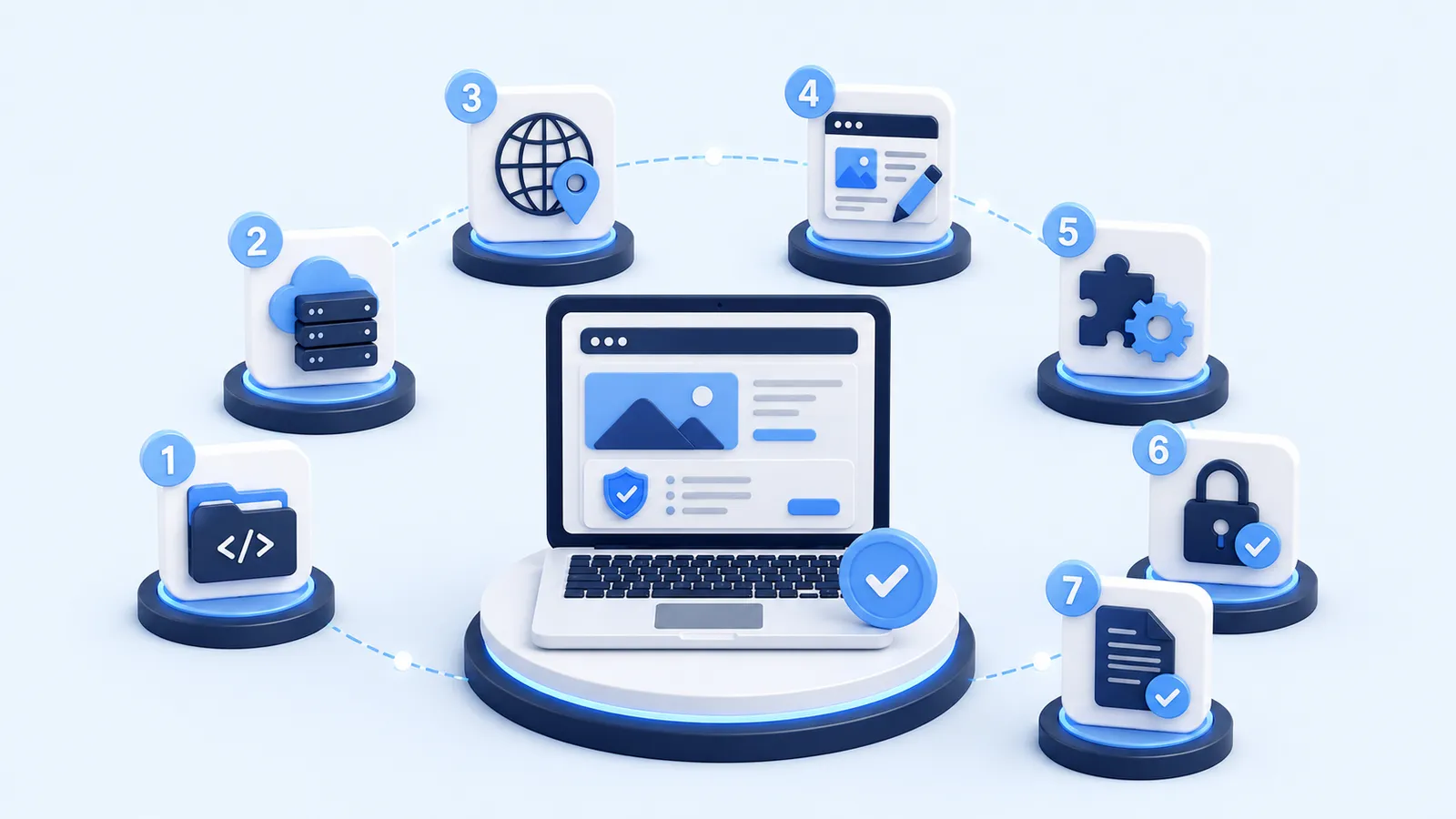
-1-800x450.webp)
-800x450.webp)