Web App Discovery Phase: What to Define Before Development Starts
We need a client portal" isn't a requirement. Define these 8 things before anyone writes any code.
G
Georgiana Nutas
·8 min read
A surprising amount of software gets built from sentences like these:
"We need a client portal." "We want a dashboard." "We need something to replace Excel."
They're good starting points. They are not development requirements. Ask ten people on the team what "client portal" means, and you'll get ten different apps.
That gap is what a discovery phase is for. It doesn't mean months of workshops or an 80-page document nobody reads. It means removing the most expensive unknowns before they turn into code. A wrong assumption costs a few minutes to fix in a conversation and a few weeks to fix in a codebase.
Nielsen Norman Group describes discovery as the phase where a team investigates the problem, clarifies what needs solving, and gathers enough information to decide where to go next. Below are the eight things worth defining before development starts, what should come out of the process, and what you can safely leave to the technical team.
What Is a Web App Discovery Phase?
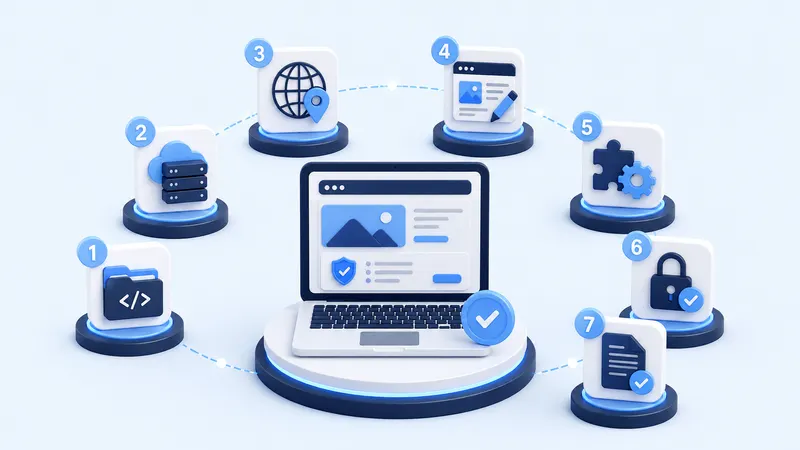
Discovery is the work of getting clear on seven things, roughly in this order:
Most projects take a shorter path by default: Idea → Features → Development. That path skips everything that makes a feature list buildable.
It helps to keep discovery separate from the two phases around it:
Discovery asks: what should we solve?
Design asks: how should people interact with it?
Development asks: how do we build it reliably?
When discovery is skipped, design and development end up answering the first question by accident, one small decision at a time.
The goal is to reduce uncertainty, not to produce paperwork. If a document doesn't help someone make a decision, it doesn't belong here. Atlassian's guidance on product requirements follows the same logic: goals, assumptions, user stories, design, success metrics, and, just as importantly, what is explicitly out of scope.
8 Things You Should Define Before Development Starts
1. The Problem You Are Actually Solving
Tagged:#webapp#discovery#planning
G
Written by
Georgiana Nutas
Building modern web applications at BluDeskSoft. We write about what we learn along the way.
"We need an app" describes a solution. A problem sounds more like this:
"Our operations team spends six hours every week consolidating orders from three spreadsheets, and errors happen because nobody knows which file is current."
The second version tells a developer what hurts, how often, and for whom. It also leaves room for a better answer than the one you walked in with. Sometimes a client asks for a dashboard when the real issue is a lack of a shared workflow. A dashboard on top of a broken process just displays the broken process more nicely.
The rule: describe the problem before you describe the solution.
2. Who Will Actually Use the Application?
A client portal looks like it has one type of user. After a few conversations, it usually has five:
Customer Admin manages the users of their own company
Customer User creates requests
Internal Operations processes those requests
Manager approves exceptions
Super Admin controls the platform itself
Suddenly, permissions aren't a detail. They're part of the architecture. For each user type, write down:
Who are they?
What do they need to do?
What should they not be able to do?
People often forget the third question, and it often matters most.
3. The Core User Workflows
Don't list screens. List journeys.
Create account → create company → invite team → create request → approve request → receive confirmation.
Screens come later. First, understand how work moves through the system, who hands it to whom, and where it sits waiting. The delays and errors you want to remove usually live in those handoffs.
4. Business Rules and Edge Cases
Take a requirement that sounds finished: "Users can cancel a booking."
Now ask:
Until when?
Who can cancel it?
Does cancellation require approval?
Is the payment refunded automatically?
What if part of the service has already been delivered?
Who gets notified?
The happy path is usually easy to build. The rules around everything that can go wrong are where the complexity hides. Every answer becomes a rule, and every rule becomes code, tests, and maintenance. You don't need to settle every edge case in discovery, but you do need to know which requirements have them.
5. What Data the Application Needs
You don't need to design a database. You do need to understand what exists in the system.
In a CRM, that might be companies, users, contacts, deals, activities, and documents. Then come the relationships:
One company has many contacts.
One deal has many activities.
A user can access only their own company's records.
These sentences look simple, but they shape architecture, search, permissions, and reporting. The last one alone decides how data is separated across the whole product.
6. Integrations and Existing Systems
This is where hidden costs show up most often. Stripe, HubSpot, an ERP, accounting software, an email provider, Google Calendar, an existing database, an internal API.
"We need Stripe" isn't a requirement. What exactly should happen between the product and Stripe?
Create a subscription?
Cancel it?
Change the plan?
Issue refunds?
Sync invoices?
Handle failed payments?
That's the difference between an integration that's mentioned in a brief and one that's understood. It's also worth finding out early who owns the other system and whether it has an API.
7. What Is V1, and What Is Not
This isn't a debate about MVP theory. It's a scope boundary.
V1:
user login
customer records
task assignment
basic dashboard
email notifications
Later:
advanced reporting
mobile app
AI recommendations
integrations with five external platforms
custom automation builder
One of the most valuable outputs of discovery is often the list of things you've decided not to build yet. Atlassian recommends documenting out-of-scope items for the same reason: it keeps the team focused, and it gives you something to point to when a "quick addition" appears in week six. "Later" doesn't mean "never". It means not in this budget and not in this release.
8. How You Will Know the Product Is Working
"Launch the app" is a milestone, not a result. Better targets look like this:
reduce processing time from 20 minutes to 5
80% of customers complete onboarding without contacting support
less spreadsheet usage and less manual data entry
the first 20 active customers
fewer support tickets around a specific workflow
Metrics keep helping after launch. When there are more ideas than time, you can ask which one moves the number you care about.
What Should Come Out of Discovery?
Not a 150-page document. A short set of answers:
Problem statement
Primary users and roles
Core workflows
V1 scope
Business rules
Key data and entities
Integrations
Technical constraints
Open questions and risks
Success metrics
Add wireframes for the highest-risk flows if they're needed. That's their job here: testing the parts most likely to be misunderstood, not drawing every screen before anyone has agreed on what the product does.
What Happens If You Skip Discovery?
Usually four things, roughly in this order.
Developers fill the gaps with assumptions. Two developers can read the same sentence and build two different features. Neither of them is wrong.
Estimates become unreliable. Not because the developer can't estimate, but because the scope is still moving.
Scope creep appears halfway through. The client says, "Of course managers need approval permissions." The developer says, "That wasn't in the original scope." Both can be right, because nobody wrote it down.
You build the wrong workflow perfectly. This is the costliest one. The software is technically clean and solves the wrong problem, and you only find out when real people start using it.
How Long Should Discovery Take?
There's no honest fixed answer. Discovery should be proportional to uncertainty, not to project price.
A simple internal tool may need only a few focused sessions. A multi-role SaaS platform with payments, integrations, permissions, and complex workflows needs significantly more. A small project can be full of unknowns, and a large one can be very well defined.
If what you're planning is a marketing website rather than an application, our guide on how to write a website brief is a better starting point.
Discovery Does Not Mean You Need Every Answer
Founders sometimes read an article like this and think, "Great, now I need to choose a database before I can talk to an agency."
You don't. You don't need to know:
which database to use
whether the frontend should use React
how authentication works technically
the exact API architecture
every screen
every edge case
You need to know your business and your problem. The technical team should help turn that understanding into a technical solution. You bring the domain knowledge, they bring the technical judgment, and discovery is where the two meet.
A Simple Web App Discovery Checklist
☐ What problem are we solving? ☐ Who are the users? ☐ What can each role do? ☐ What are the main workflows? ☐ Which business rules affect those workflows? ☐ What data needs to exist? ☐ Which external systems need to connect? ☐ What belongs in V1? ☐ What is explicitly out of scope? ☐ What would make the launch successful? ☐ What assumptions still need validation?
Conclusion
Starting development with unanswered questions is normal. Starting with unanswered questions you haven't identified is the expensive part.
If you're planning a custom application, discovery is where "we need a platform" becomes something a product and development team can actually build. BluDeskSoft can help map the users, workflows, requirements, and technical constraints before development begins. You can read more about our custom web application development or discuss your web app project.
7 things you should control after your website launches. Check them now.
 BluDeskSoft
-1-1600x900.webp)
-800x450.webp)